
Salute, arbitrageurs, Yellow at the machine!
One of the most nerdy things about arbitrage traffic from fb is buying accounts and then making profiles in antidetect-browser, or import the accts into the FbTool or Dolphin. Doing it by hand is like death, you have to: create a profile, insert the proxyTo copy the cookies from the file with the aces (or find them in the archive with the trends), import them, save all the data on the aces in a note - brrr. When you buy, say, 50 autoreg/trends, the next couple of hours of life goes nowhere.
All this at one time I am quite bored, so specifically to solve this problem, I wrote a software, which I will share and which I will tell in this article.
Program Features
First of all, about functionality:
- automatic parsing of accounts from a text file, the following data is pulled:
- Login/Password
- EAAB token
- EAAG BM token
- Mail and its password
- Birthday
- Cookies (in JSON format or JSON encoded in Base64)
- automatic parsing of accounts from ZIP/RAR files, the following data is pulled out:
- Login/Password
- Cookies (in both JSON and Netscape formats)
- EAAB token
- EAAG BM token
- selecting a group (folder) Indigo/tag Dolphin Anty
- creating new profiles in this group with a specified proxy
- cookie import
- saving all pulled out data in readable form in the profile note
- Import accounts with the same proxy в FbTool и Dolphin
- The software currently supports three browsers: Indigo, Dolphin Anty, AdsPower
Now let's figure out how to run the software and go through all the features with screenshots.
Downloading and launching software
The software is a console application - no GUI, and you don't need one. It is written in C# language and works on Microsoft .NET platform. It is cross-platform, i.e. it can work on any operating system: Windows, Linux, MacOS.
The last assembled version is always can be downloaded from githab from the Releases section:
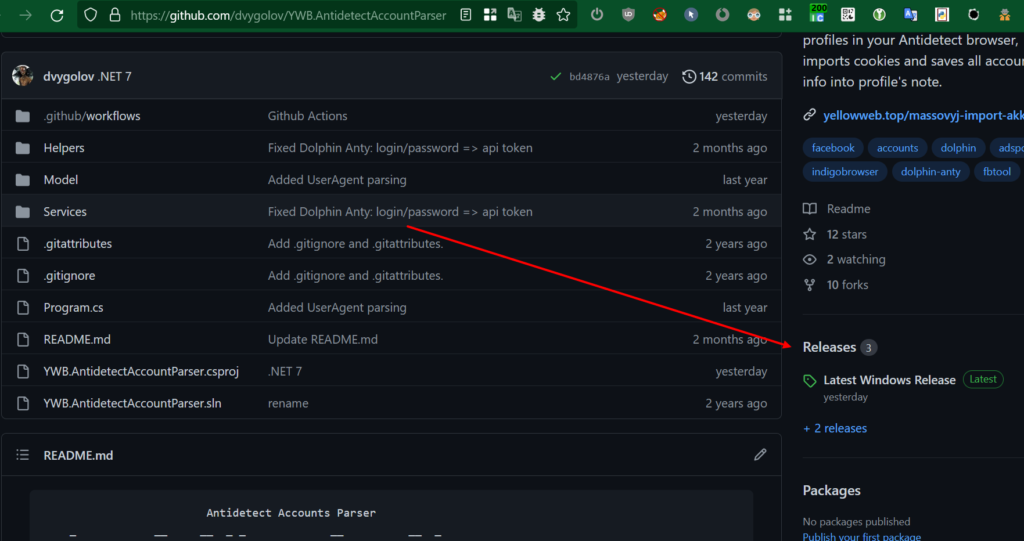
- After downloading the archive for your operating system, unzip it into any folder
- Then go to this folder in the console/terminal and run the program with the command
dotnet YWB.AntidetectAccountParser.dll
Preparing
For Indigo
Before launching the software, start the browser Indigo and check which port it works on. For the software to work correctly, you must have:
- tariff plan Indigo With automation support
- master account, not subaccount Indigo
- Indigo must be set to port 35000. You go to the menu in the My Account and check it out.
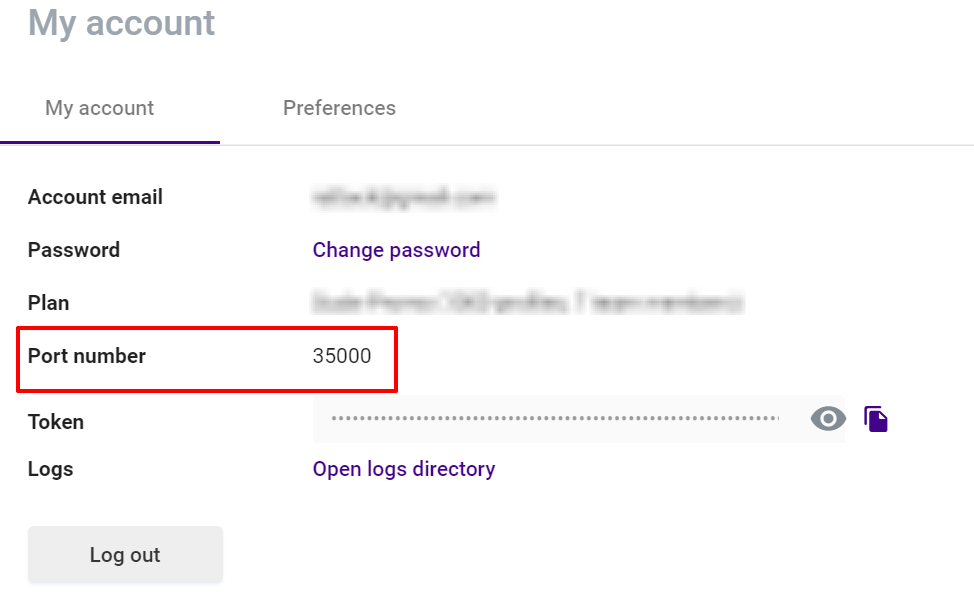
If you have a different port there, click just below Open logs directory, a folder with logs will open. Go to the folder above and edit in the file app.properties parameter multiloginapp.port. It should be like this:
multiloginapp.port=35000
After changing the port, restart your browser. Leave the browser running, the software when working with him on the API!
For AdsPower
Start your browser and leave it open. For the software to work correctly, you must have a master account in AdsPower, not a sub-account.
Note: When the software works, you will be logged out of the main browser interface. Don't be alarmed, this is normal. Log in and keep working.
For Dolphin Anty
Just start the browser and move on to the next item.
For Octo Browser
Launch the browser, go to Profile Settings - Advanced and next to the API Token field click Change, copy the token, create a file in the program folder octo.txt and insert the token there.
Setting up proxy
The first thing to do is to find yourself a good proxy. Then create in the folder compiled by program file proxy.txt where you can enter all the proxy. Every proxy write it on a new line of the file. The format of the proxies themselves is as follows:
type:ip:port:login:password
Type in this case could be either socks or http. For example:
socks:37.213.222.21:19473:mattk_yax_ru:u1rdfOM
If you use mobile proxies with the change of IP at the link and browser Dolphin Anty, you can enter this link at the very end of the line with a colon and WITHOUT HTTP, for example:
socks:37.213.222.21:19473:mattk_yax_ru:u1rdfJ:myproxydomain.com/change.php?token=lalala
Dolphin Anty knows how to change the IP for these proxy directly in the browser interface, will be convenient.
Working with autorags
Next, go out and buy yourself some normal autoregs. Once you get your hands on a file with them, rename it to accounts.txt and put it in the same folder as the proxy file.
After that, run the software:
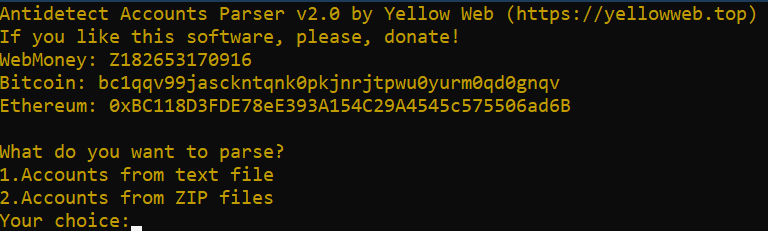
Choose the first item here - work with the actors stored in a single text file. We see:
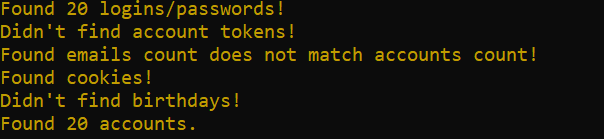
About each action the software displays a message. In the above screenshot the software found 20 login-passwords, did not find tokens (and they were not), found some mail, but, apparently, they were not mail with passwords, but just the logins of Fabe in the form of mail, found cookies and did not find birthdays.
To make the parser work properly two conditions must be met:
- the data of one account should be on one line of the file, not split up into several lines
- the account record should start with the fb login, or with some identical string (e.g., the name of the store), and then the fb login
If all the conditions are met and the accounts are found, then, depending on which browser you have chosen, the software displays all the profile groups you have, or asks if you want to create a new group/tag. Type the menu item number that suits you and press Enter.
Then you have to answer a couple of questions:
- Whether you need to create new profiles or whether you want to choose from the existing profiles in the selected group. If you want to create new profiles, click Y. If you choose from the available ones. N.
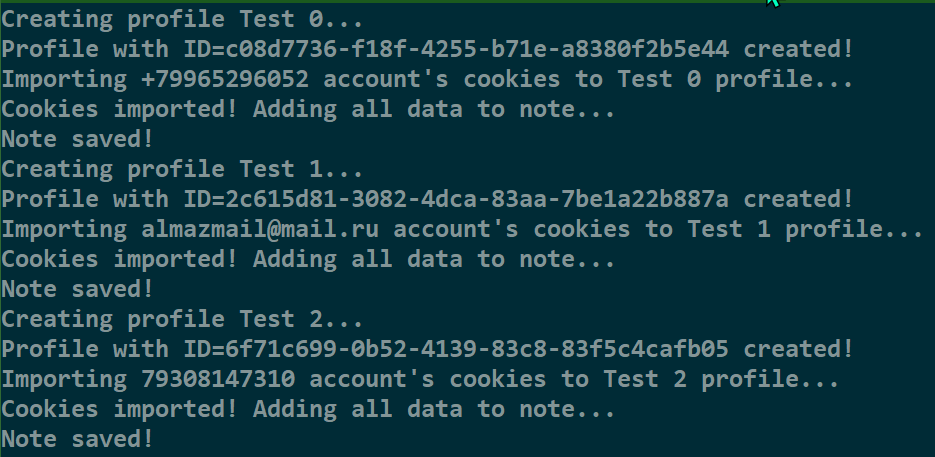
- If you create new profiles, the next thing you need to enter is the profile name prefix. For example, you entered the prefix - Test. The software will create profiles Test0, Test1, Test2 etc.
- Select an operating system.
It all looks like this:

That's it! The program will start creating profiles, importing cookies and saving all data to notes.
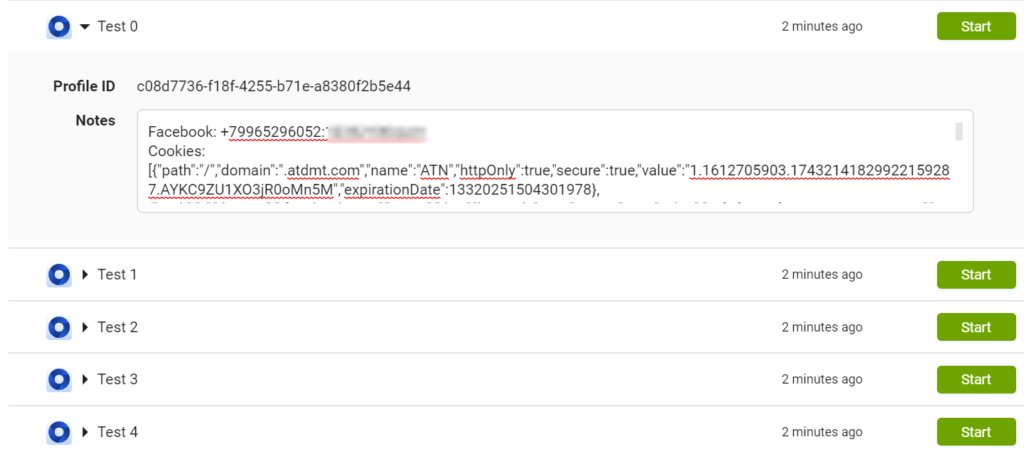
When everything is done, the software will display a message about the end of the work and you can go to your browser and look at the result. This is what it looks like, for example, in Indigo:
Working with trends
Purchase accounts, create in folder of the compiled software folder logs and copy the zip/rar-archives with accounts there, 1 archive - 1 account. Or unpack the folders from the archives and put the folders in the same logs, 1 folder - one account. Then you start the software and select the second menu item.
The software will start parsing the archives, pull all cookies and passwords from all Facebook accounts, and if one archive contains cookies from several different accounts, then the result will be antidetect several profiles will be created. All invalid archives (i.e. those in which no fb login-password or fb cookie was found) will be moved to the Invalid folder.
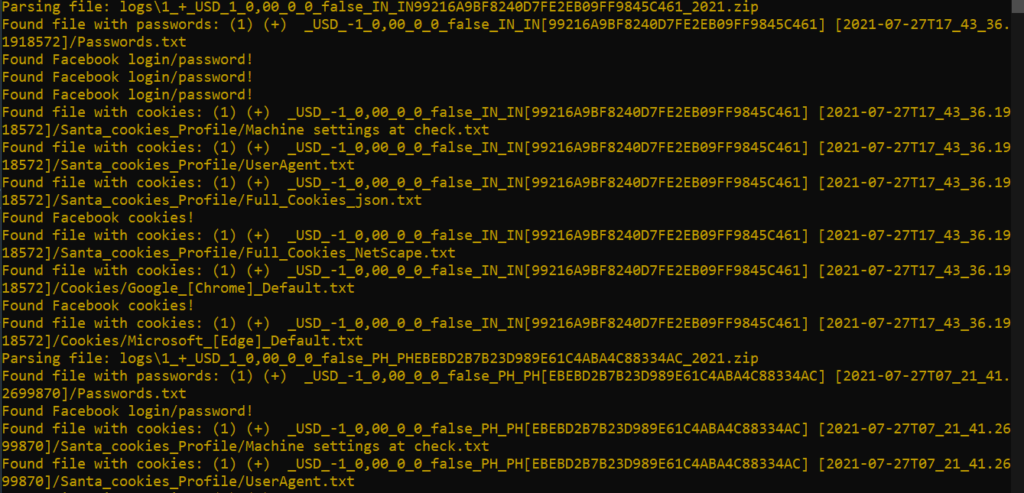
Then everything is exactly the same as with the autorags: select the folder antidetect, os. The software will create profiles, import cookies (and Netscape cookies are automatically converted to JSON). The names of the created profiles will be the same as the names of the archiveswhich is convenient if you need, for example, to go into the archive to get your mail password or something else. If only username-password was found in the archive, but there were no cookies, then the string PasswordOnly will be added to the beginning of the profile name.
Work with monitoring services: Dolphin и FbTool
To import accounts into monitoring services, there are 2 options:
- If your accounts have fb tokens (at least some of them), then the software, after creating profiles in antidetect will prompt you to import them into services as well;
- You can immediately select the menu item "Import to FbTool/Dolphin"and do not create profiles in the browser.
Both services support the import of accounts with all the info you need: token, cookies, account password, BM token, - so you'll have access to their full feature set right away.
Conclusions
When using such software, the time saved is calculated hours. And although I can't guarantee that the software will work with any file with the aces from any shop, but nevertheless, out of the couple of dozen formats I tested it on, everything works very stable.
If the program does not find the shares in your file, then write to the PM, probably something will come up. And don't forget to send donationsWell, it's good content! And where to send - find all the wallets in the program itself?
Leave a comment