
Salaam alaikum, Yellow at the keyboard. Standard start: you found it, then insolderedget yourself a pad for mmm prostatitis in Italy. Everything is good there: text, pictures, and layout. One problem, offer you have for Portugal. Therefore, you urgently need to translate this damn thing. And for this you need:
- Isolate all pieces of text from the text;
- Send to affiliate network/translation service;
- After you have received the translated text, you need to push it back into the prokla, exactly in the appropriate places.
All this is manual labor. If you now say: why the hell is this necessary, I’ll just hand over the curse in one language and ask that they immediately send it typed up in another. Okay, this option is possible, but here’s why it’s bad. If you give away the curse along with the layout, then:
- There is a chance that an unscrupulous affiliate network or translator will leak your information to competitors;
- If you order a translation for money, the translation with layout will be more expensive;
- You will have to wait longer for such a translation.
So what should we do? Of courseuse the software that I just wrote!
First, let’s look at the scheme by which the software works:
- We set the software against our devil, the software automatically extracts all the necessary pieces of text into a csv file
- Upload this file to a Google spreadsheet and send the link to the translator
- In the same table, next to each text cell of the source text, the translator writes the translation in the adjacent cell
- When the translation is ready, download the Google spreadsheet in the same csv format
- We slip the translation file into the software — the software automatically changes all the text on the screen
- ….
- Profit!
Or there is option B — auto-translation of the entire page at once using Deepl.
And now let’s go watch it all in more detail and with screenshots.
Downloading software
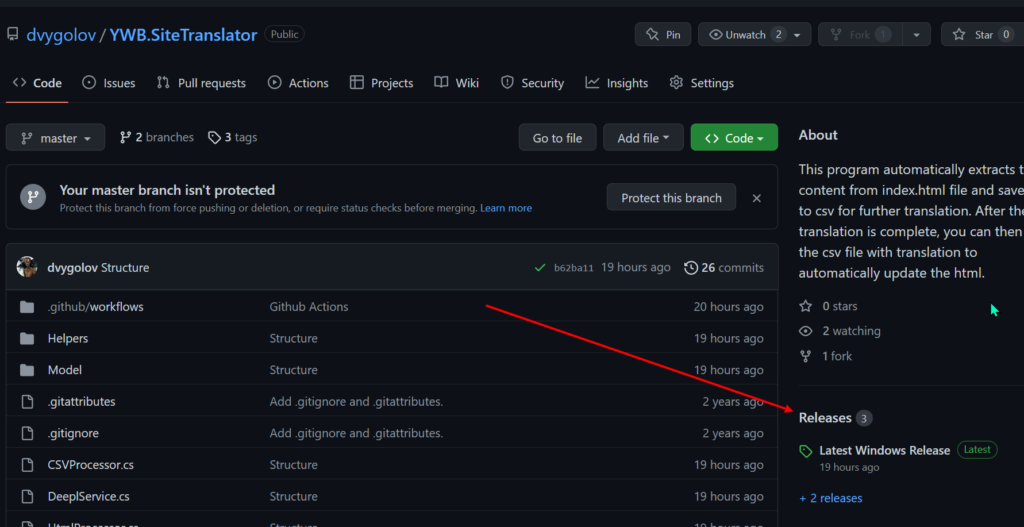
The software works on any OS, requiresinstalled .NET for work, download and install the latest version — you can’t go wrong. Next, download the archive for your OS from GitHub from the Releases section, unzip it into any folder.
Preparing for launch
In the software folder, createsite subfolder, into which transfer the file index.htm/index.html of the site that needs to be sent for translation.
Working with software
Under Windows, you can simply run the exe file, and under any other OS, launch the terminal (console), go to the folder with the software with the cd command and run the software with the commanddotnet YWB.SiteTranslator.dll
We are offered several menu items to choose from:
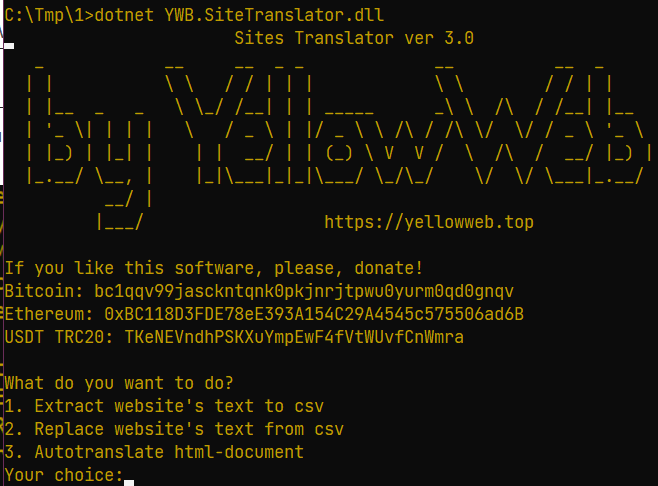
- Extract all text from html and save it to csv
- Replace website text from an existing csv file with translation
- Automatic translation of the entire html file using the Deepl translator
Let’s start from the beginning. After selecting the first menu item, you will be asked to enter the name of the offer about which this curse is written. Enterexactly as offer is named in the text!

Ready! All necessary pieces of text are saved to a filetranslation.csvin the main program folder.
Go to Google Sheets, create a new table, click File — Import and upload our csv file. You send the link to the translators, they work. Here is an example of what a finished translation looks like in Google Sheets:
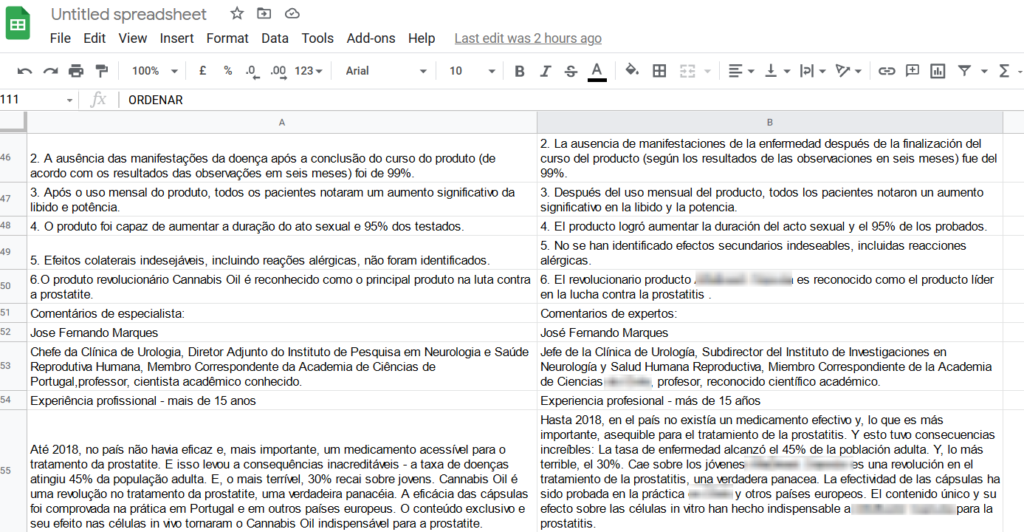
Once the translators have finished working, click File — Download — CSV and receive the translation in the form of a csv file. Rename it back totranslation.csv, shove it into the software folder and launch the software, where we select the second menu item: Translate site.
The program will ask you for 2 things:
- name offer in the source html file (in our example it was Cannabis Oil)
- the name offer in the translated text — if offer has not changed, you can simply press Enter, but if you remade the text for another offer, enter its name

After finishing work on replacing the text, the program will save all html code and transfer it to a fileindext.htmlin a subfoldersite.
Load the program in the browser, check that everything is in place, delete itindex.html, renameindext.htmlVindex.htmland load the damn thing onhostingor intracker.
ALL! You just saved yourself/the layout designers hours of life, for which I congratulate you.
And finally, if you want to translate everything through Deepl, then you need to startregister to receive an API key, you can use free access, it will allow you to translate 500,000 characters per month. The API key can be saved in the deepl.txt file in the program folder, otherwise you will have to enter it manually each time.
After you have entered the API key, the program will ask you for the language into which you want to translate the html file.
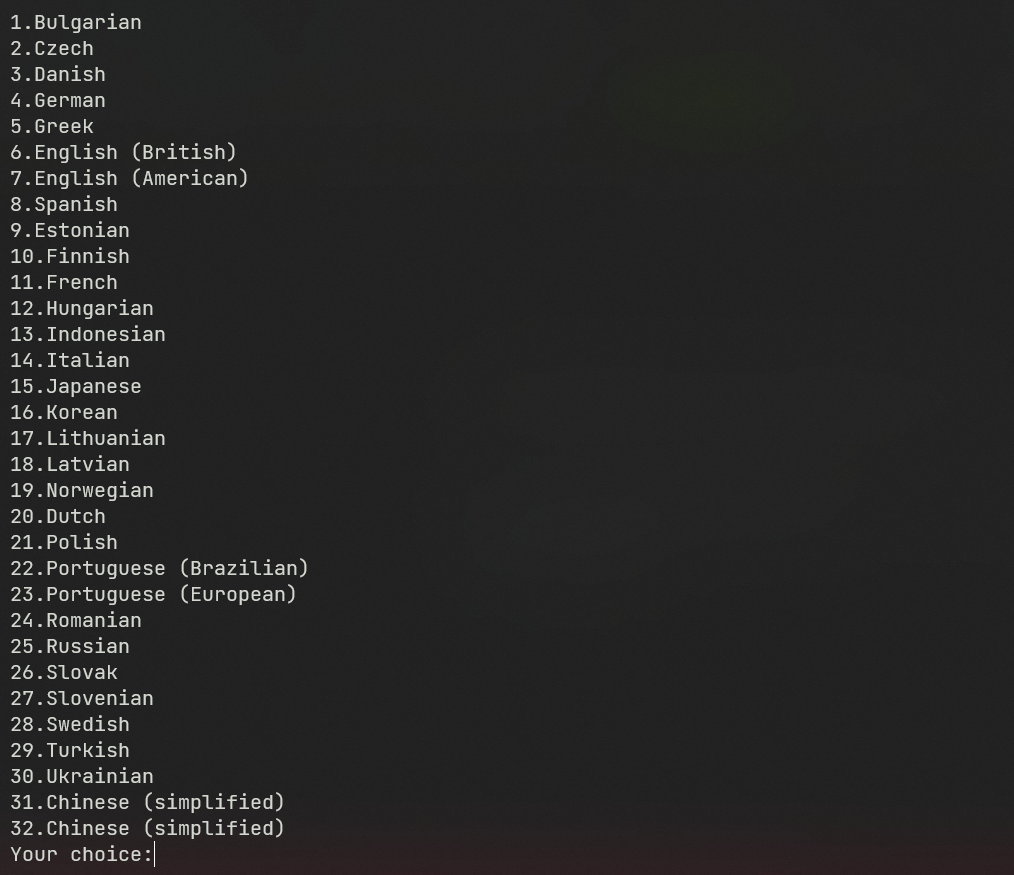
The automatically translated file will be saved next to the original one, with the nameindex_code.html.
In principle, that’s ALL, give it a plus and send itdonations! They (like a simple “Thank you” in a DM) motivate me to continue making suitable open-source software for you.
Leave a comment